
2 min
Uploading Your Logo
Add your company logo, dark variant, and favicon.
1
Navigate to brand settings
redsunplatform.com
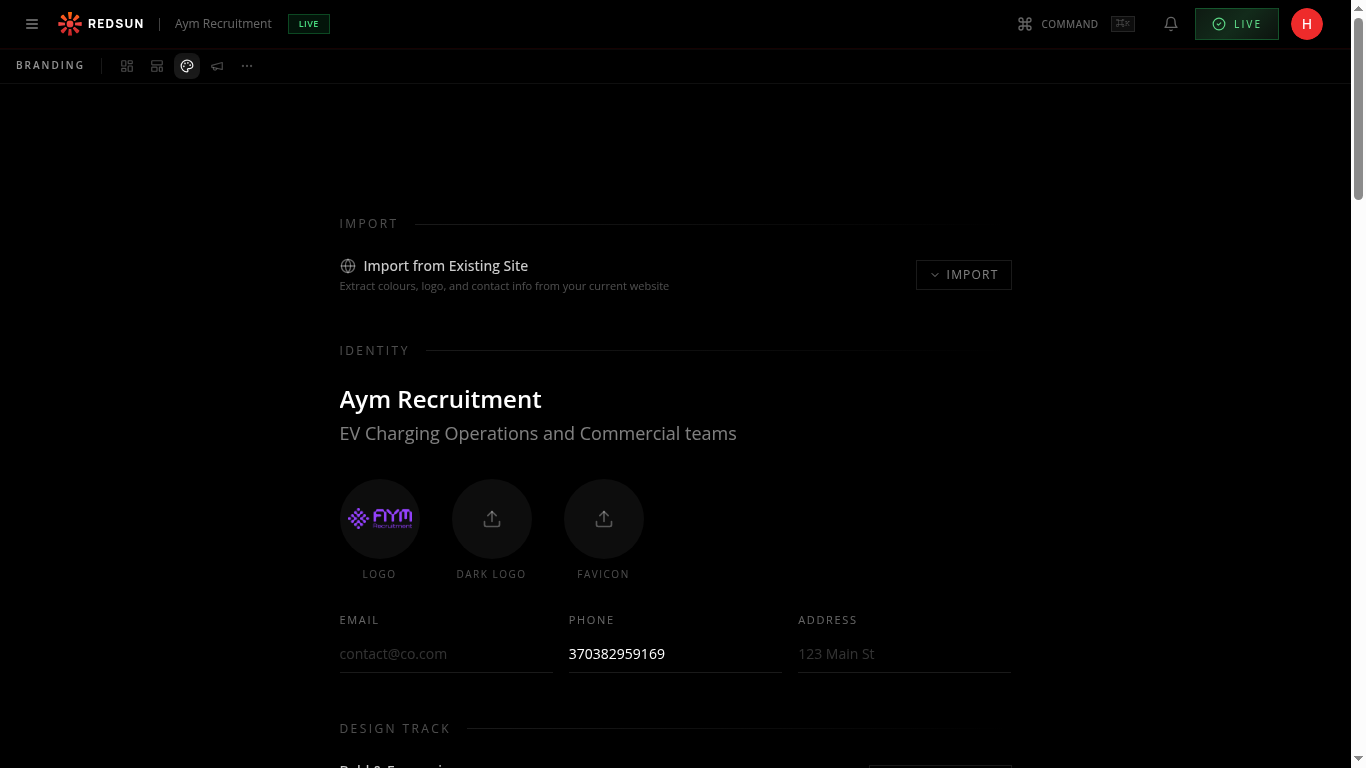
From the dashboard, click the Branding tab in the top navigation bar. You'll see sections for Import, Identity, Visual, and Typography.
2
Upload your logo
redsunplatform.com
Click the LOGO circle to upload your primary logo file. Use a PNG or SVG with a transparent background for best results. You can also upload a separate DARK LOGO for light backgrounds and a FAVICON.
Upload both a light and dark version of your logo to ensure it looks great on all backgrounds.
3
Preview placement
redsunplatform.com
Your logo automatically appears in the site header, footer, and email templates. Check the preview at the bottom of the branding page to see how it renders.
Guide complete
You've covered all 3 steps. Check out the related guides below.
Still need help?
Our support team is here to assist you.