
Loxo CRM Integration
Connect Loxo to sync jobs, candidates, and pipeline data with Redsun.
Navigate to Connections
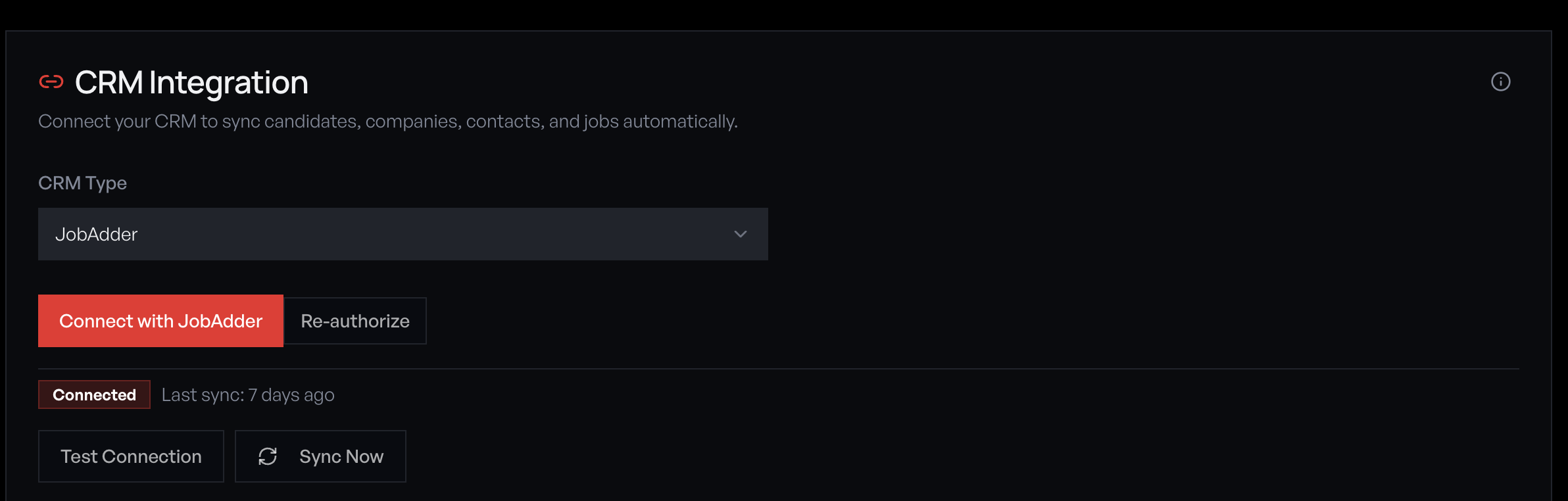
Open the sidebar and click 'Connections' under the Tools section. You'll see the CRM Integration panel with a provider dropdown and connection status.
Select Loxo as your provider
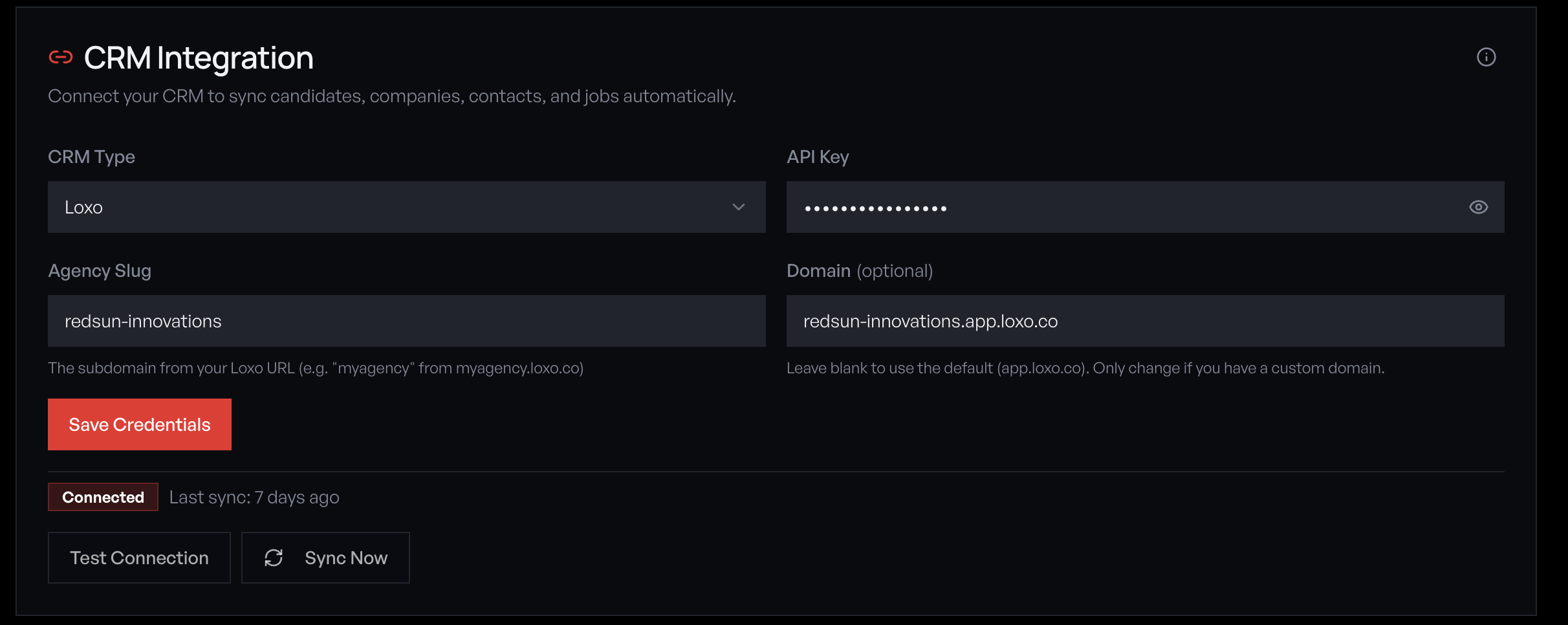
Open the CRM Type dropdown and select 'Loxo'. The form updates to show the fields Loxo requires: API Key, Agency Slug, and an optional Domain field.
Get your Loxo API key
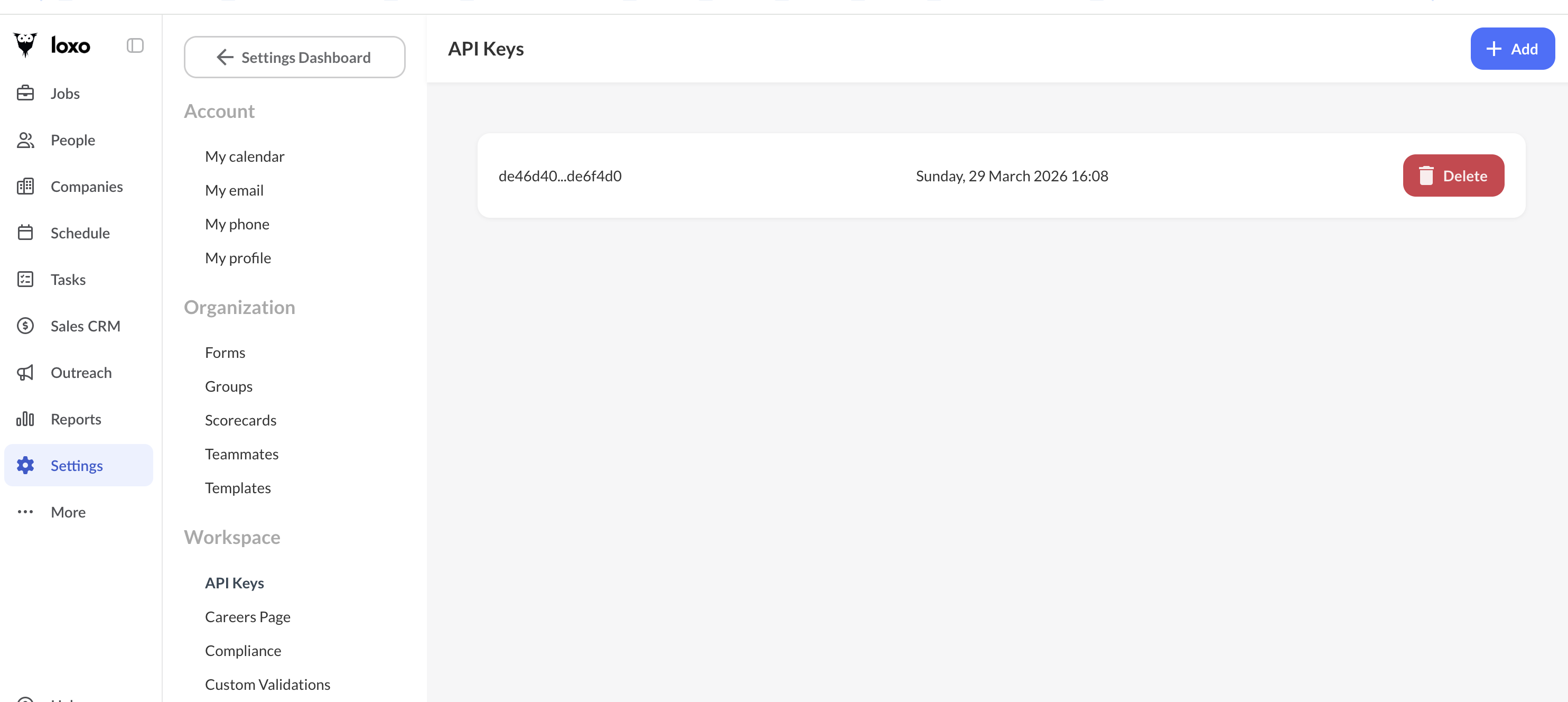
In Loxo, go to **Settings → Workspace → API Keys** and click '+ Add' to generate a new key. Copy the key and paste it into the API Key field in Redsun. Enter your agency slug (the subdomain from your Loxo URL, e.g. 'myagency' from myagency.app.loxo.co).
If you don't see the API Keys section under Workspace in Loxo Settings, your plan may not include API access. Contact Loxo support to enable it.
Your API key provides full access to your Loxo data. Store it securely and rotate it if you suspect compromise.
Save and test the connection
Click 'Save Credentials', then 'Test Connection'. If successful, the status badge changes to 'Connected' and shows the last sync time. If it fails, check that your agency slug matches exactly — it's case-sensitive. The Domain field auto-populates based on your slug.
Run initial sync
Click 'Sync Now' to import your Loxo data. The sync pulls jobs, people (candidates and contacts), and companies. Large databases may take several minutes for the first sync.
What syncs from Loxo
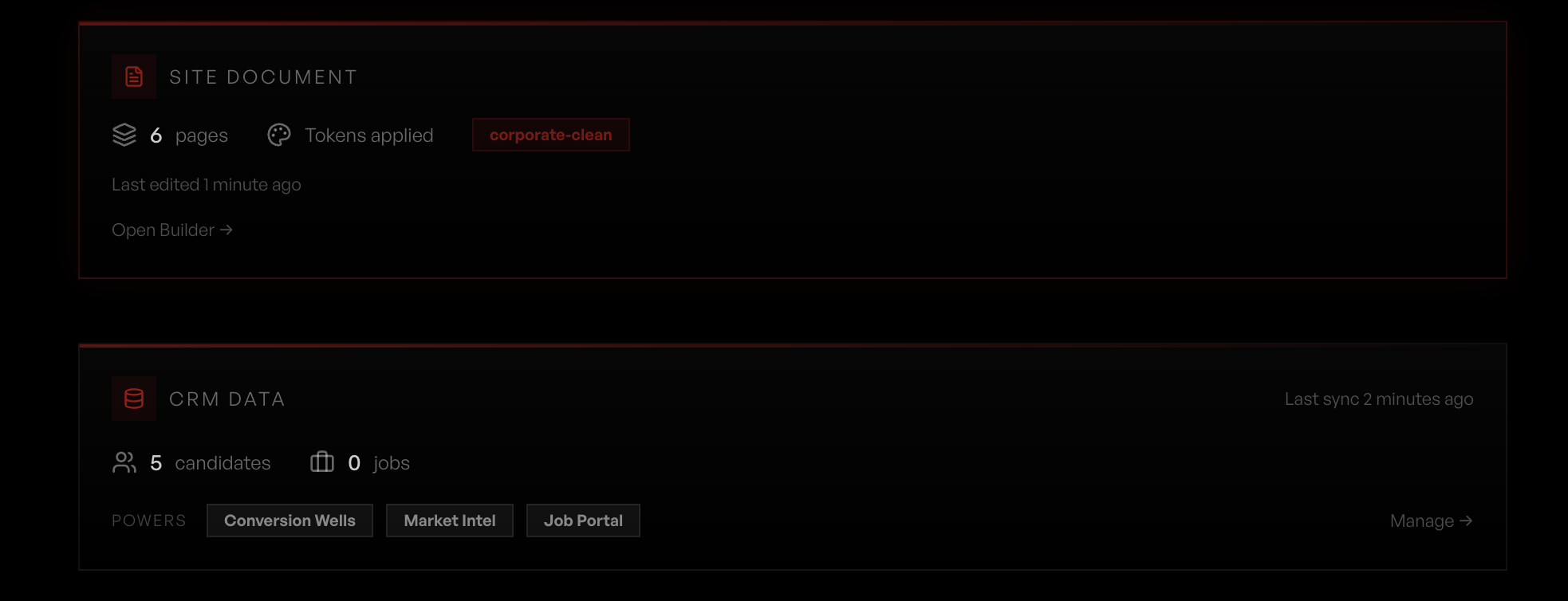
Redsun pulls the following from Loxo: • **Jobs** — Title, description, compensation, location, and pipeline stage. Active jobs appear on your job portal. • **People** — Candidates and contacts with skills, experience, and engagement history. Powers talent snapshots and well results. • **Companies** — Client accounts and associated contacts. Used for visitor intelligence company matching. Sync runs automatically every 15 minutes. Your dashboard CRM Data card shows live record counts and which features the synced data powers.
Monitor sync health
Your dashboard CRM Data card shows candidate and job counts, last sync time, and which features the synced data powers (Conversion Wells, Market Intel, Job Portal). The Connections page shows detailed sync status and lets you trigger a manual sync at any time.
Guide complete
You've covered all 7 steps. Check out the related guides below.
Still need help?
Our support team is here to assist you.