
Candidate Well
A conversion funnel where candidates upload their CV and receive AI-powered career insights — all on one page.
Turn it on
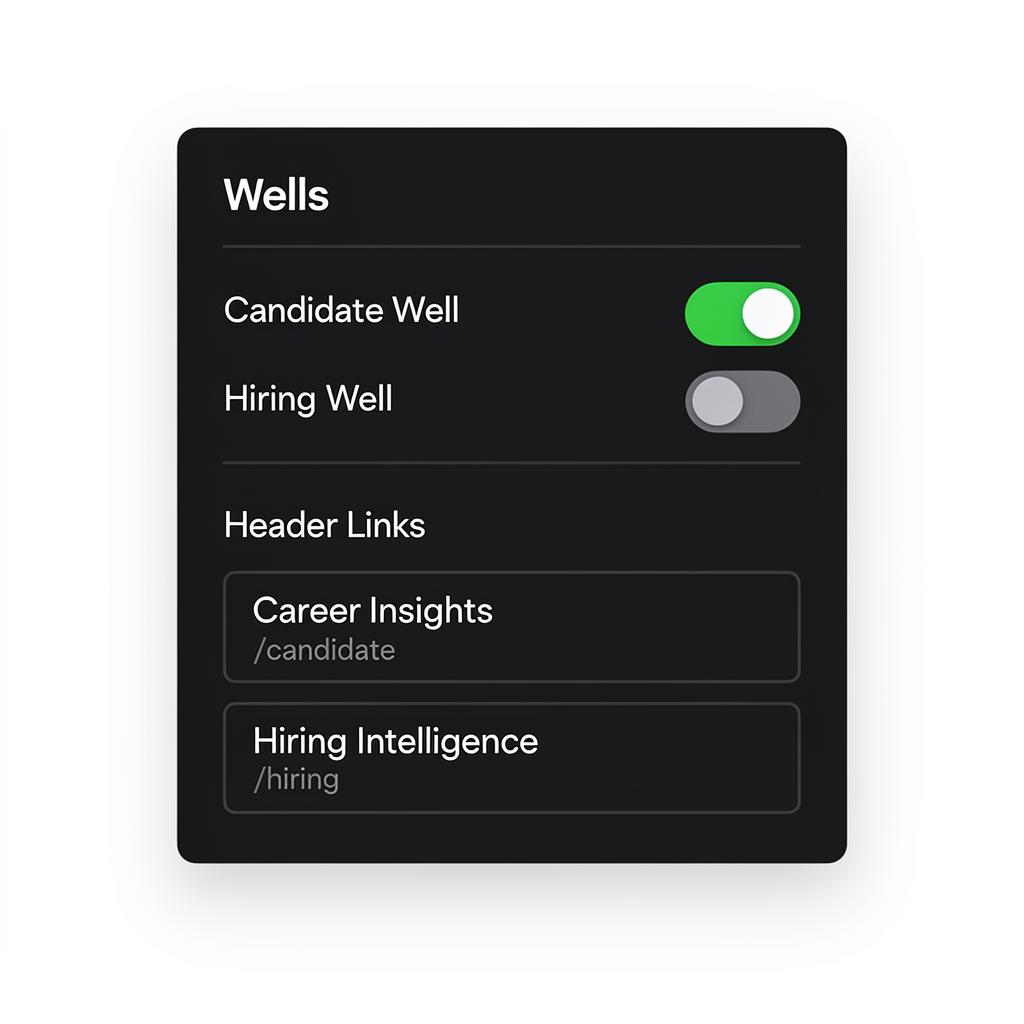
Enable in **two places**: 1. **Admin Dashboard** → Connections → Feature Toggles → turn on `candidate_form` 2. **Builder** → ContextDock sidebar → Wells tab → toggle 'Candidate Well' on Both must be on. The feature flag is the master switch; the builder toggle adds it to your site navigation.
Navigation link labels (e.g. 'Career Insights') are editable right in the Wells tab.
Landing page
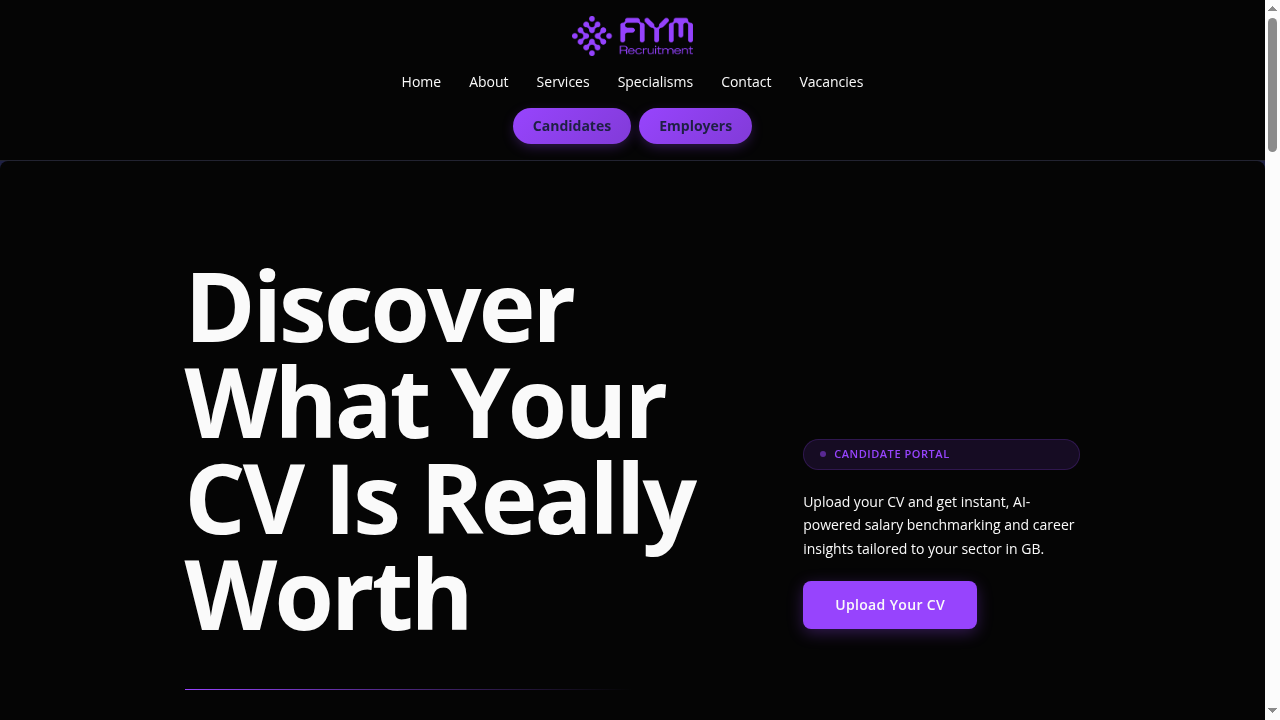
The landing page has five sections you can reorder or remove: • **Portal Hero** — Headline, CTA button, and badge • **Teaser Cards** — Three preview cards showing what candidates will receive • **Blurred Preview** — Blurred stats with an 'Unlock' CTA to create urgency • **Trust Strip** — Badges like 'GDPR Compliant' and 'AI-Powered' • **Inline CTA** — Secondary call-to-action at the bottom All text is inline-editable. Visual styling adapts automatically to your design track.
The candidate journey
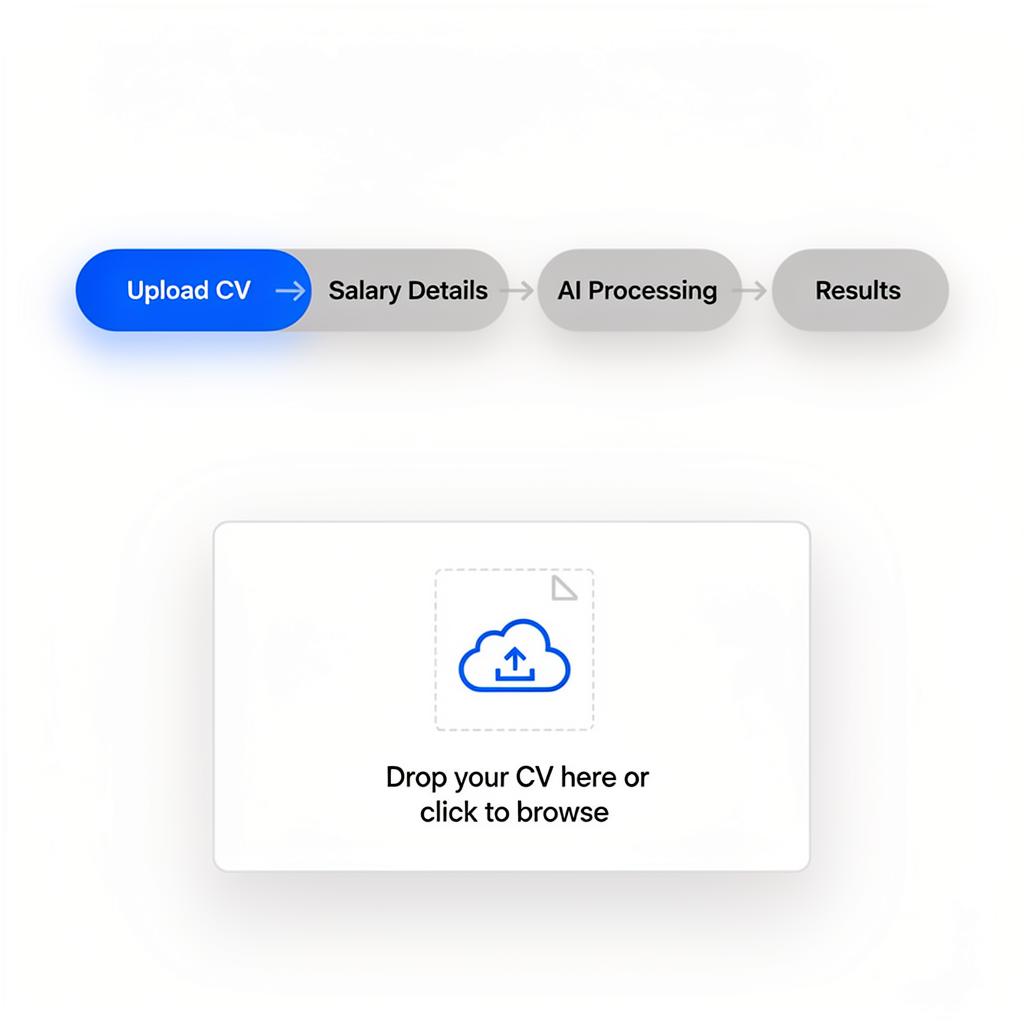
Everything happens on one page — candidates never navigate away: 1. **Upload CV** → Role, industry, and experience extracted automatically 2. **Salary details** → Optional current/target salary (can skip) 3. **AI processing** → Animated indicator while analysis runs 4. **Results** → Full insights rendered inline If analysis fails, the candidate returns to the upload step with an error message. No broken pages.
Session state is preserved throughout — scroll position, form inputs, and analytics tracking all stay intact.
Results sections
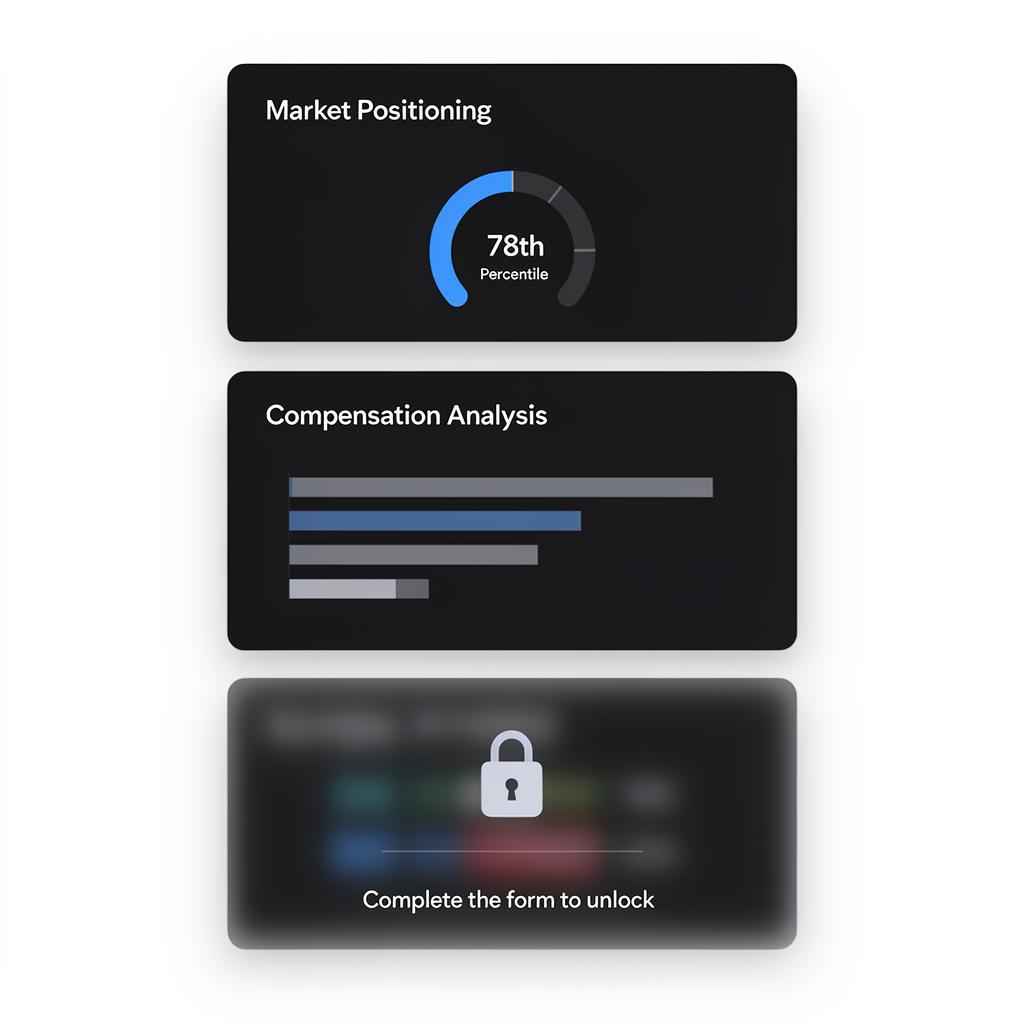
Results are modular — each section shows a specific insight: **Always visible:** Market Positioning, Compensation, Career Trajectory, Market Demand, Risk Signals, Opportunities **Gated (blurred until form is complete):** Peer Benchmark, Skill Demand, Sector Pulse **CRM-powered (need matching data):** Mobility Map, Market Timing, Career Ladder You can reorder, remove, or switch each section between three display variants (primary, secondary, compact) in the builder.
Empty CRM sections are automatically hidden. You don't need to remove them manually.
Content gating
Candidate wells use **per-section gating** — no separate gate form. Toggle `gated` on any results section in the builder. Gated sections show blurred content with a lock icon. Once the candidate completes the CV form, all gated sections unlock at once. **Best practice:** Leave 3-4 sections ungated to show quality, then gate the most compelling insights (like Peer Benchmark) to drive engagement.
Unlike employer wells, candidate wells don't have a separate lead capture gate — the CV upload itself is the conversion event.
Guide complete
You've covered all 5 steps. Check out the related guides below.
Still need help?
Our support team is here to assist you.