
Flare+4 min
Candidate Lead Management
View, filter, and act on candidate submissions from your site.
1
Access candidate leads
redsunplatform.com
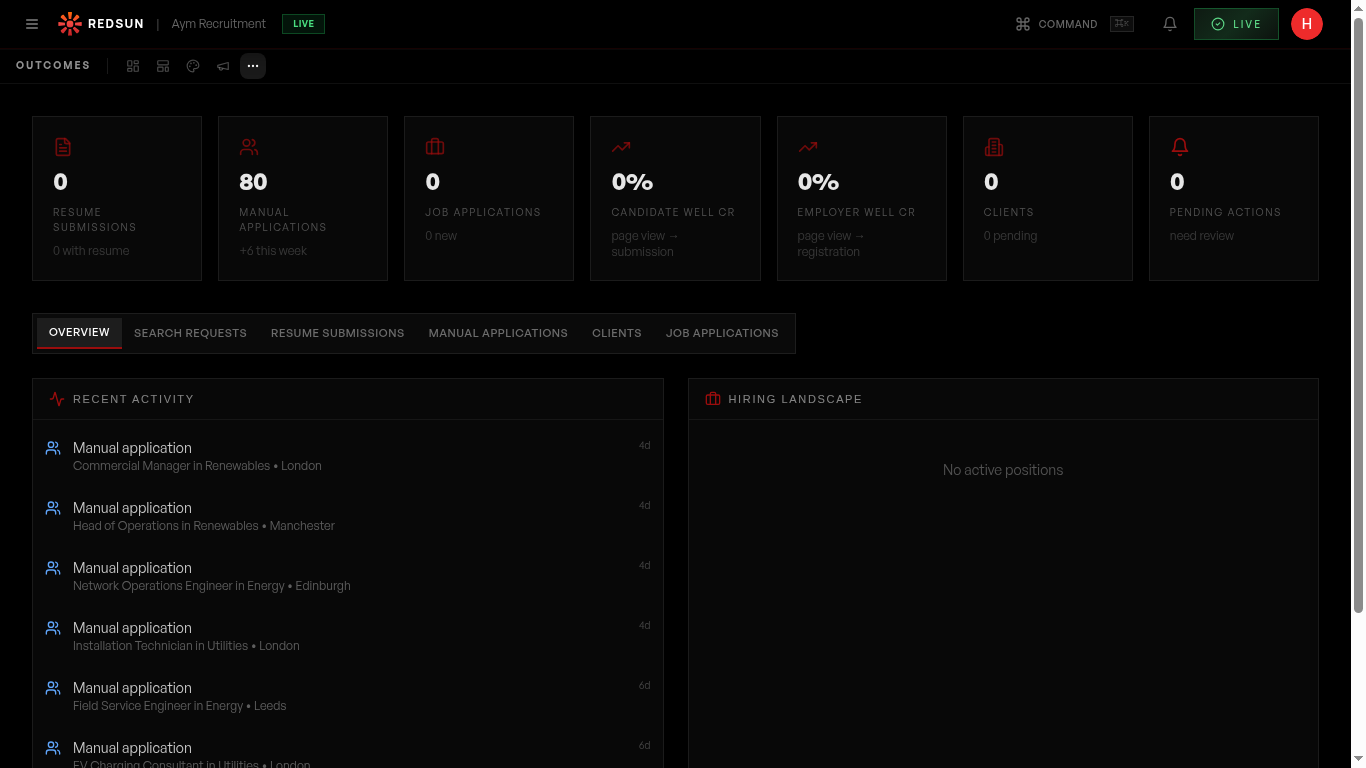
Navigate to the Outcomes tab in the dashboard. The Candidate section lists all submissions from your candidate well, job applications, and direct enquiries.
2
Lead details
redsunplatform.com
Each lead shows: full name, email, phone, role interest, experience level, salary expectations, and submission date. Click to expand for full details.
3
Filter and sort
redsunplatform.com
Use filters to view leads by date range, sector, experience level, or status. Sort by most recent to prioritise fresh leads.
4
Export and sync
redsunplatform.com
Export leads as CSV or sync them to your CRM automatically (if connected). This keeps your recruitment pipeline up to date.
Guide complete
You've covered all 4 steps. Check out the related guides below.
Still need help?
Our support team is here to assist you.