
Flare+4 min
Employer Lead Management
Track employer enquiries and hiring positions from your site.
1
View employer leads
redsunplatform.com
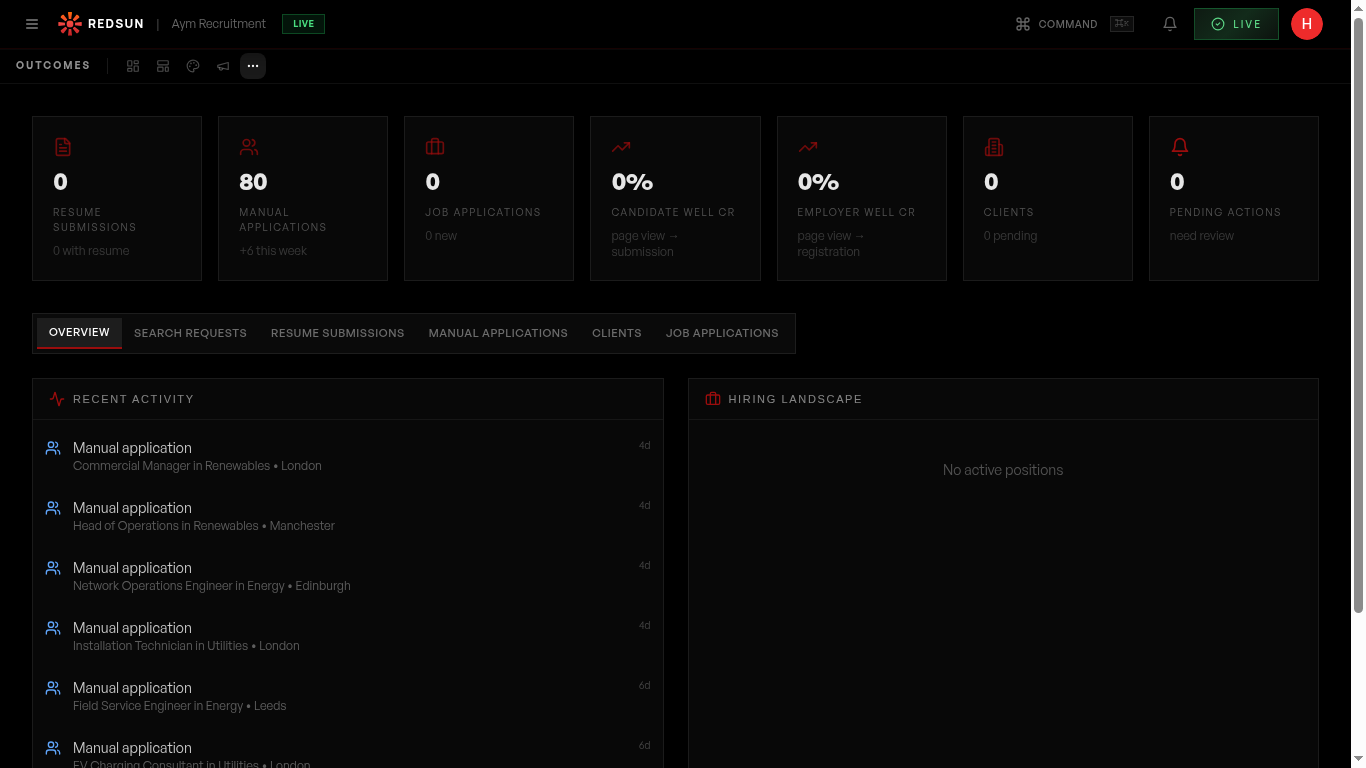
In the Outcomes tab, switch to the Employer section. See all employer/client enquiries from your hiring well.
2
Lead details
redsunplatform.com
Each employer lead includes: contact name, company, role they're hiring for, and the AI-generated insights that were delivered to them.
3
Hiring positions
redsunplatform.com
Track associated hiring positions: role, location, priority, salary range, and status. This gives you a pipeline view of potential business.
4
Follow up
redsunplatform.com
Use the lead data to personalise your follow-up. Reference the specific role and insights they received for a relevant, warm conversation.
Guide complete
You've covered all 4 steps. Check out the related guides below.
Still need help?
Our support team is here to assist you.