
3 min
Font Selection & Pairing
Choose display and body fonts that match your brand personality.
1
Browse font options
redsunplatform.com
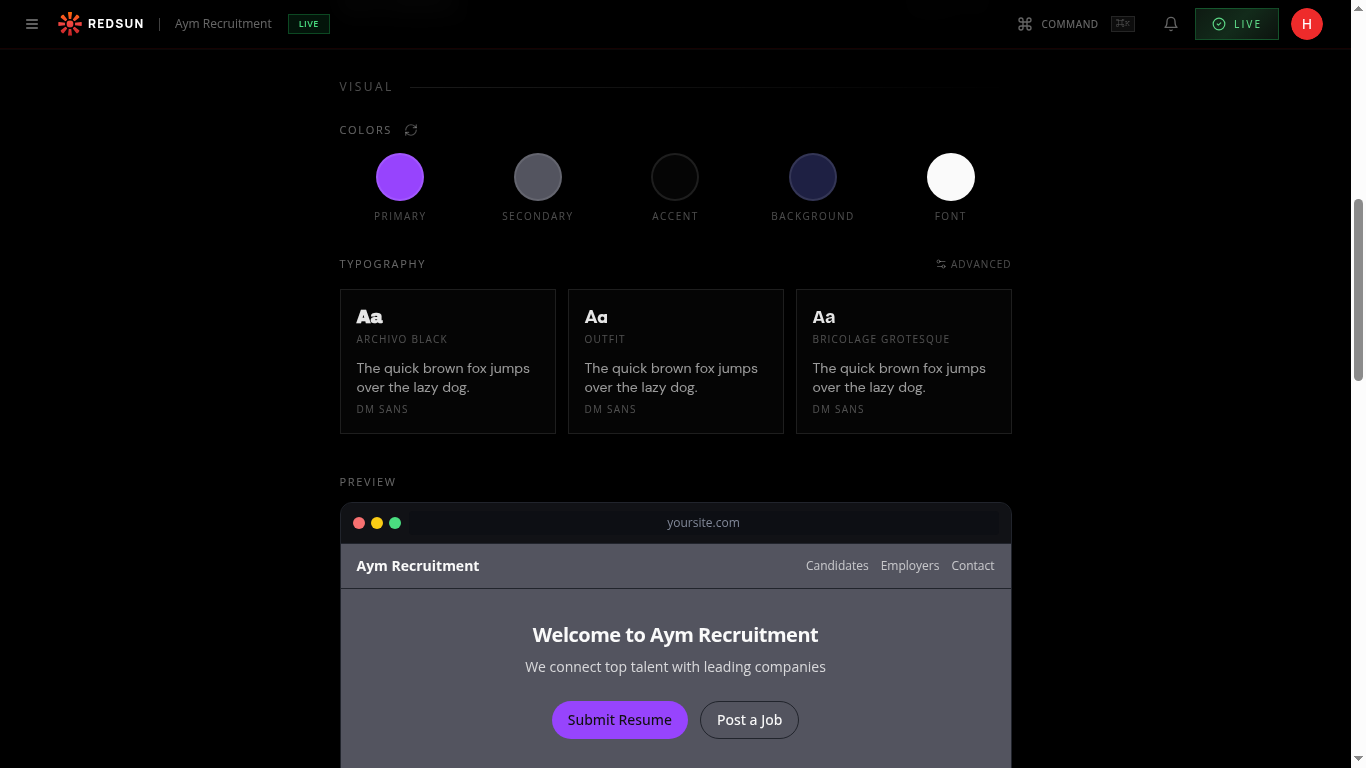
Open the typography section in your brand settings. Redsun offers curated font pairings — a display font for headings and a body font for paragraph text.
2
Select a pairing
redsunplatform.com
Click through font pairing cards to preview how each combination looks with your content. Each card shows a heading and body text sample.
3
Apply and preview
redsunplatform.com
Select your preferred pairing and it's applied site-wide instantly. Check multiple pages to ensure readability across all content types.
Guide complete
You've covered all 3 steps. Check out the related guides below.
Still need help?
Our support team is here to assist you.