
3 min
Billing & Subscription
Manage your plan, payment method, and invoices.
1
Access billing
redsunplatform.com
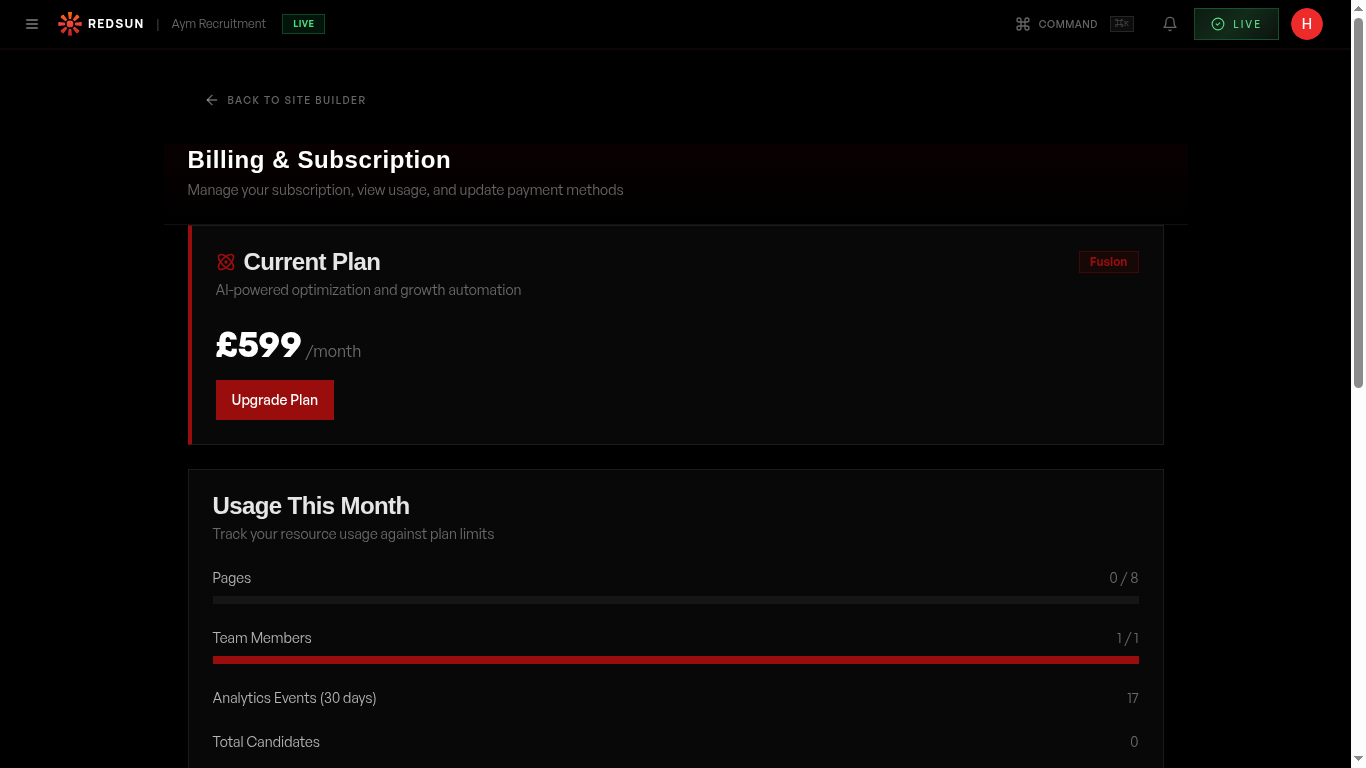
Navigate to Settings → Billing. You'll see your current plan, billing cycle, and payment method.
Billing settings2
Change your plan
redsunplatform.com
Upgrade or downgrade between Glow, Flare, and Fusion. Changes take effect at the start of your next billing cycle. Upgrades provide immediate access to new features.
3
Update payment method
redsunplatform.com
Add or change your credit card or payment details. All payments are processed securely.
4
View invoices
redsunplatform.com
Download past invoices for your records. Invoices include a breakdown of charges and any applicable taxes.
Guide complete
You've covered all 4 steps. Check out the related guides below.
Still need help?
Our support team is here to assist you.