
Editing Sections
Modify content, layout, colours, backgrounds, and motion for each section.
Edit content
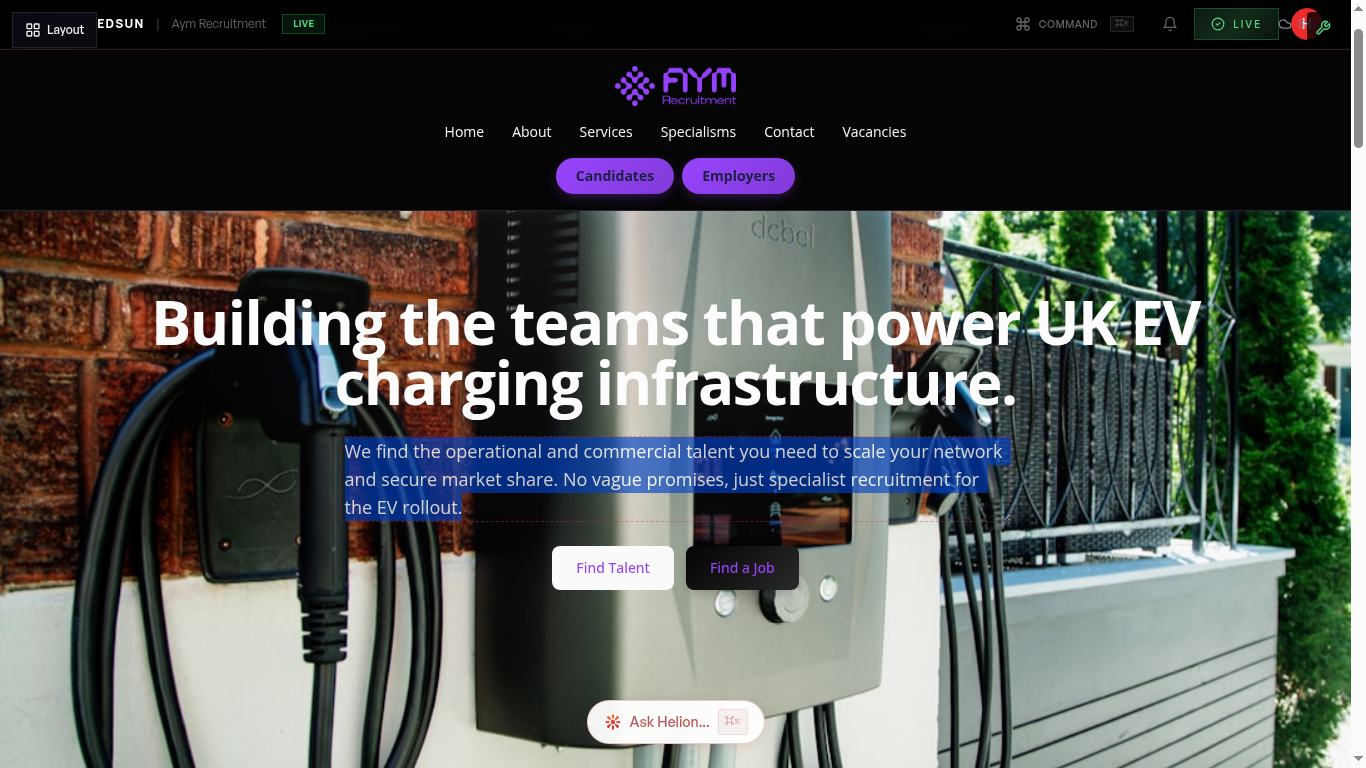
Click into any text field within a section to edit it directly. Headlines, body copy, button labels, and list items are all editable inline.
Change layout variant
Each section type offers multiple layout variants. Use the layout picker in the section panel to switch between options — for example, a two-column split vs. a centered hero.
Adjust colours
Override the section's colour scheme using the colour controls. You can set background colours, text colours, and accent colours that differ from your global brand palette.
Set backgrounds
Choose between solid colours, gradients, images, or videos for section backgrounds. Upload your own media or use the built-in media picker.
Add motion
Enable entrance animations for sections using the motion preset selector. Options include fade-in, slide-up, and scale effects with configurable timing.
AI content generation
Click the AI icon on any section to regenerate its content. The AI uses your brand voice, industry context, and sector data to produce relevant, specific copy.
Guide complete
You've covered all 6 steps. Check out the related guides below.
Still need help?
Our support team is here to assist you.